Moltbot (Formerly Clawdbot): The AI Assistant That Actually Does Things
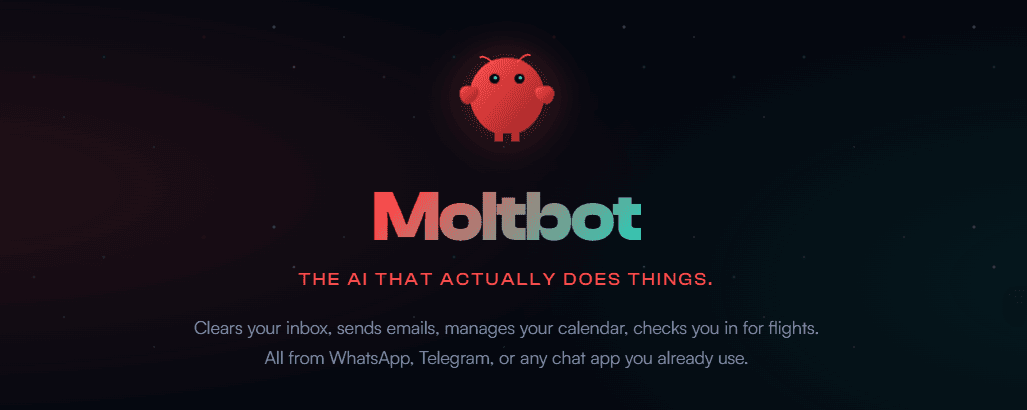
🦞 What Exactly Is Moltbot?
Moltbot (aka Clawdbot) isn’t another web chatbot you visit when you need help. It’s a personal AI assistant you actually run yourself. This means you can connect your PC or laptop to the apps you use every day like WhatsApp, Slack, Telegram, Discord, Teams, and even iMessage — and get responses there just like from a real assistant.
🦞 Features and Capabilities
What makes Moltbot (formerly Clawdbot) interesting isn’t just where it runs, but what it can actually do. Instead of being limited to chat replies, Moltbot behaves more like a personal assistant that can take action.
Here are the key features that stand out 👇
1. Runs on Your Own Device (Self-Hosted)
Moltbot runs on your own PC, laptop, or server. This means:
- 🔒 Your data stays under your control
- ☁️ No forced cloud dependency
- 🛡️ More privacy compared to typical AI chat tools
For developers and startups, this is a big deal — you decide how and where it runs.
2. Works Inside the Apps You Already Use
You don’t need to learn a new interface.
Moltbot integrates directly with:
- Slack
- Telegram
- Discord
- Microsoft Teams
- iMessage
- And more
You talk to it in the same apps where you already work, and it responds there like a real assistant.
3. Multi-Modal Interaction (Text, Voice, and Canvas)
Moltbot isn’t limited to text:
- 🗣️ You can talk to it using voice on macOS, iOS, and Android
- 👂 It can listen and respond naturally
- 🖼️ It can also render a live, interactive canvas that you control
This makes it feel less like a bot and more like an actual assistant.
4. Task Execution, Not Just Chatting
Unlike normal chatbots, Moltbot can:
- 📧 Send emails
- 📅 Manage calendars
- 🔁 Trigger workflows
- 🔌 Fetch data from APIs
- 🤖 Automate repetitive tasks
Instead of answering how to do something, it can often just do it for you.
5. Gateway-Based Architecture (Behind the Scenes)
Moltbot uses a Gateway that acts as the control plane:
- Manages connections to apps
- Coordinates tools and permissions
- Keeps everything running smoothly
You rarely interact with the Gateway directly — the real product is the assistant itself.
Simple Architecture View
Chat Apps (Slack / WhatsApp / Telegram)
↓
Moltbot Assistant
↓
Gateway (Control Plane)
↓
APIs • Tools • System Actions
6. Extensible and Developer-Friendly
Because Moltbot is open-source:
- 🛠️ You can add your own integrations
- 🔄 Build custom workflows
- 🧪 Extend it for personal or business needs
This makes it especially attractive for developers, startup teams, and power users.
7. Proactive Behavior
One subtle but important feature:
Moltbot doesn’t always wait for you to ask.
It can:
- ⏰ Notify you about events
- 🔔 Remind you of tasks
- 📩 Message you first when something needs attention
That’s a big shift from traditional “ask-and-reply” AI tools.
🌍 Real-World Use Cases
Moltbot isn’t meant to be a demo toy — it’s built for practical, everyday work. Here are some realistic ways people are already using it.
👤 Personal Productivity
- Manage calendar events and reminders
- Draft and send emails from chat
- Get daily summaries and task updates
🚀 Startup & SaaS Operations
- Handle support queries from Slack or WhatsApp
- Monitor logs, alerts, or system events
- Automate internal workflows without adding new tools
👨💻 Developer Workflows
- Trigger scripts and jobs via chat commands
- Receive build or deployment notifications
- Use it as a local AI agent for research and debugging
Because Moltbot lives inside tools you already use, it fits naturally into existing workflows.
🔐 Security & Privacy Considerations
Moltbot is powerful, which means security matters.
- 🔒 It runs on your own device or infrastructure, so you control the data
- 🎯 Permissions should be limited to only what the assistant needs
- 🚫 Admin access and gateways should never be exposed publicly
Used responsibly, Moltbot offers more control than typical cloud-based AI tools — but misconfiguration can introduce risk. Treat it like any other system with deep access to your apps.
🧠 Final Thoughts
Moltbot (formerly Clawdbot) is a clear step forward from traditional AI chat tools. By running on your own device and integrating directly with apps like WhatsApp, Slack, and Telegram, it behaves more like a real personal assistant than a chatbot. For developers, startup founders, and SaaS teams, Moltbot offers a practical way to automate everyday tasks while keeping control over data and workflows. If you’re curious about where personal AI assistants are heading in 2026, Moltbot is worth exploring.
❓ People Also Ask (FAQ)
Is Moltbot the same as Clawdbot?
Yes. Clawdbot was renamed to Moltbot due to branding and trademark reasons. The core product and functionality remain the same.
Is Moltbot free to use?
Moltbot is open-source, so you can run it for free on your own hardware. However, costs may apply if you connect it to paid AI models or external services.
Does Moltbot run locally or in the cloud?
Moltbot primarily runs locally on your machine, but it can also be deployed on a private server or cloud infrastructure if needed.
Is Moltbot safe?
Moltbot can be safe when configured correctly. Since it has access to messaging apps and system tools, users should carefully manage permissions and avoid exposing admin interfaces publicly.
Who should use Moltbot?
Moltbot is best suited for developers, startup founders, and power users who want a personal AI assistant that can automate tasks and integrate deeply with their existing tools.